


Driving Licence Status – Check DL & RC Online
As per the Motor Vehicle Act of 1988, possessing a driving licence is mandatory before operating a vehicle in India. Given the importance of this document, you can track the status of your application online if you’ve applied for a new driving licence (DL) or are renewing an existing one.
Alternatively, you can visit the relevant Regional Transport Office (RTO) with your token number to check the status of your licence in person.
Read on to learn more details on tracking your driving licence status and other related information.
How to Check DL Status Online and Offline
Check DL Status Online
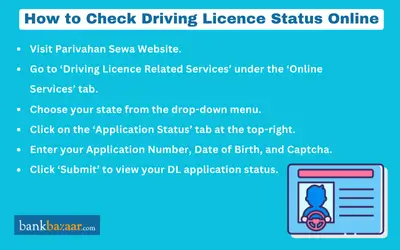
Below is the procedure that must be followed to check the application status of driving licence online:
- Visit the Parivahan Official Website or the state’s transport department website.
- Click on ‘Driving Licence Related Services’ under the ‘Online Services’ tab.
- Select the concerned state from the drop-down menu
- Click on the "Application Status" tab present at the top-right.
- Enter the details required like, "Application Number", "Date of Birth", and "Captcha".
- Click on "Submit".
- Once you submit the information, you will see the status of your driving licence application on the screen.
Check DL Status Offline
You can visit your Regional Transport Office (RTO) to check the status of your driving license. Follow the steps given below to check the status of your driving licence offline:
Step 1: Visit the local RTO.
Step 2: Head to the enquiry centre and ask the concerned officer about your driving licence status.
Step 3: Provide your driving licence application number.
Step 4: The officer will check the status of the driving licence application and inform you.
Note:
- The website varies depending on the state. To check the status of your driver's licence, go to the right page based on the state you applied in.
- RTO dispatches your driving licence roughly after 2 weeks from the time you have cleared your DL test.
How to Check RC Status Online
When a person registers a motor vehicle, an official document called a Driving Licence Registration Certificate (RC) is given out. Driving on the road without a valid RC is illegal, and parents of youngsters caught doing so will face harsh penalties for their involvement.
The different ways by which you can check the status of the RC are mentioned below:
- Application Number
- Vehicle Number
Check RC Status Using DL Application Number
Follow the below-mentioned process to check the RC status with the application number:
Step 1: Visit parivahan.gov.in.
Step 2: Under ‘Online Services’, click ‘Know Your Vehicle Details’.
Step 3: Enter the vehicle registration number and captcha.
Step 4: Click ‘Search Vehicle’ to view RC status.
Check RC Status with Vehicle Number
Follow the below-mentioned process to check the RC status with the vehicle number:
Step 1: Visit the official Parivahan portal.
Step 2: Hover the mouse on "Online Services", select "Know your vehicle details" from the drop-down menu.
Step 3: Enter the vehicle number and captcha.
Step 4: Click on "Search Vehicle" button.
You can check all the RC related details displayed on the next page.
Reasons for Delay in Driving Licence Application Status Update
Various reasons could result in your driving licence application status updates being delayed. Below are the common reasons for delays:
Delays in Verification: Sometimes, RTO and police verifications can take longer than expected.
Unfinished Documentation: If any documents are missing or expired documents have been submitted, this can lead to issues with smooth verification.
Heavy Application Load: A high volume of applications can lead to a delay in processing.
Technical Issues: In the event of technical glitches, the driving licence application status can take much longer to be processed.
Non-Working Days and Strikes: Holidays and unexpected strikes can also cause delays in driving licence application status updates.
Points to Remember When Checking Driving Licence Status
Keep in mind the below listed points when checking the driving licence status:
- Use the Official Website: Always check the status on the official Parivahan website or your state’s RTO website.
- Keep Your Application Details Ready: Have your Application Number, Date of Birth, and Captcha Code handy for quick access.
- Processing Time: It generally takes 2-4 weeks for the RTO to process and dispatch your driving licence after clearing the test.
- State-Specific Variations: Different states may have separate portals for checking DL status, so ensure you're using the correct one.
- RTO Visit Alternative: If online status is unavailable, you can visit the concerned RTO with your token or application number for updates.
- Regular Status Updates: The status may change frequently, so check periodically if your licence is under processing.
- Delivery Tracking: Once dispatched, your driving licence can be tracked using the speed post tracking number provided by the RTO.
- Expiry & Renewal: If your DL is due for renewal, check its validity and apply at least 30 days before expiry to avoid penalties.
- Avoid Third-Party Websites: Do not enter your details on unofficial websites to prevent data misuse.
- International Driving Licence: If applying for an International Driving Permit (IDP), apply at least a month in advance and track its status separately.
Facts About Driving Licence Status
Some of the interesting facts about the DL status are:
- It takes a month to receive the driving licence after the DL test.
- Driving licences are usually dispatched by the RTO within two weeks
- An applicant must have a learner’s driving licence before applying for a driving licence
- A driving licence is valid for 20 years or until 50 years of age of the applicant (whichever earliest)
- Expired driving licence gets seized once you apply for renewal of driving licence
- Apply for a duplicate DL online, if your DL is torn, damaged, or lost
- Like international DL, Indian DL comes with expiry and you should renew your DL before expiry
- The International Driving licence issued in India is accepted across the world
Note: Apply for the International Driving Licence a month in advance if you are planning for an international trip.
FAQs on Driving Licence Status
1.Is it possible to check the status of the DL application online?
Yes, it is possible to check the status of the DL application online.
2.Is there any fee to check the driving licence status?
There is no fee to access the website or check DL status.
3.How can I check the status of a driving licence that is being renewed?
The two different methods by which you can check the renewal status either by visiting the RTO or the Parivahan website.
4.Can I drive on public roads with a learner's driving licence?
Yes, a learner's permit allows you to drive on public roads.
5.What is the validity period of a learner's driving licence?
A learner's permit is good for six months or 180 days.
6.How long is a commercial driving licence valid?
A commercial driving licence will be valid for a period of 3 years from the date of issuance.
7.How long do I have to renew my driving licence after it expires?
You can renew within 30 days of expiry without penalty. Beyond that, most RTOs still allow renewal with a late fee for a period of time, after which a fresh driving test may be required. Rules vary by state, so confirm with your local RTO.
8.What does ‘Application Under Process’ mean on the DL status page?
"Application Under Process” means your driving licence (DL) application is still being reviewed or processed by the transport department. The licence has not been approved or issued yet, so you may need to wait for the next status update.
9.Can I check DL status without an application number, using only my name and date of birth?
To check your DL status, you’ll usually need your application number and date of birth. If you’ve misplaced your application number, you can use the “Find Application Number” option on the Sarathi Parivahan portal to get it back.

Karishma VP has over a decade of experience in content writing which includes over five years specializing in personal finance. Her career in BankBazaar has given her the opportunity to write on a wide variety of financial products ranging from credit cards and home loans to insurance policies and government schemes. She believes that an understanding of personal finance is an important step to leading an independent, empowered life. This has led to her being passionate about learning more about the BFSI sector and writing about personal finance as clearly, concisely, and accurately as possible to make it accessible to a larger audience through BankBazaar.

Disclaimer
Credit Card:
Credit Score:
Personal Loan:
Home Loan:
Fixed Deposit:


Copyright © 2026 BankBazaar.com.